
Your price preview
€2.94 per month
Cancel monthly. Choose RAM to suit your modpack and world.
Configure a server
Build together, share adventures and discover mods. Your Minecraft world deserves a control panel you can understand – from the first start to the next big update.
Server locations: Germany · France.
Location selection depends on the game and plan.
Want a server closer to you?
Built around Minecraft.
Your first shared survival world, a building project with friends or an extensive modpack: MCRedstone focuses on Minecraft. With a control panel that takes you from the server overview to your backups.
Classic Minecraft, a ready-made modpack or your own extensions? Start with the edition and version your group plays.
Use the available tools to configure game mode, difficulty and access for friends. Many everyday tasks need no console commands.
Check server status, create backups and make informed changes. You will know where to go after the first start, too.
Regular plans
Cancel monthly. Choose RAM to suit your modpack and world.
Move the slider and the monthly price updates instantly.
Your price preview
€2.94 per month
Cancel monthly. Choose RAM to suit your modpack and world.
Configure a serverThese tested packs are not our entire selection. For these recommendations, we can additionally name the exact pack, Minecraft and loader version we tested.
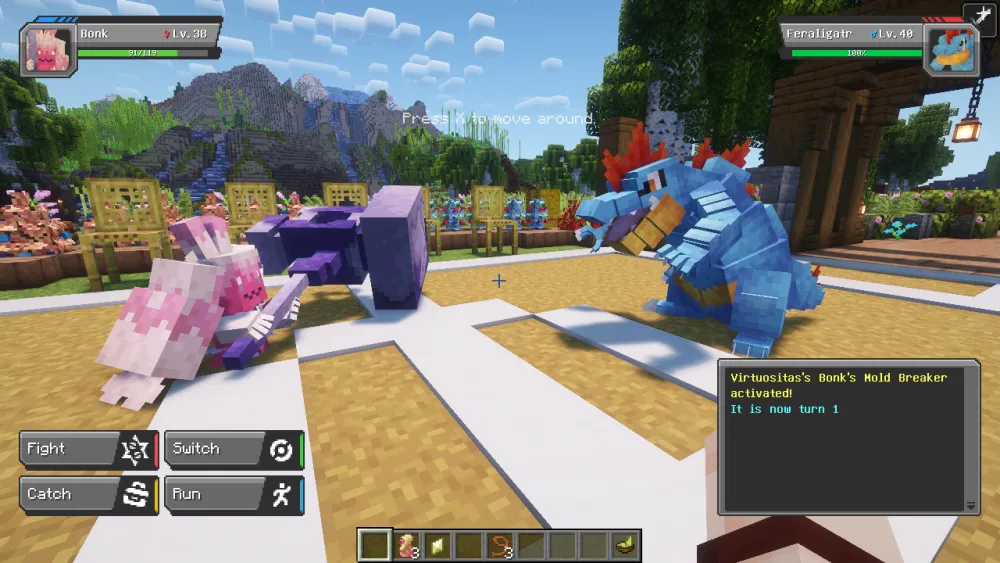
Collect · Explore · Play together
Installation and startup verifiedPokémon meet your Minecraft world. Explore the landscape, catch Pokémon and assemble your team alongside the building and survival you already know.
A good fit if … you want a shared collecting adventure while still building your own base.
Cobblemon is the core mod; a modpack adds other projects. Extra features depend on the selected pack. Every player needs its matching Java client version.
Visit the project ↗Verified on 09/23/2026
Minecraft Java and the matching client-side modpack required.
See the historical measurement for Cobblemon Official 1.7.3 (6 GB)
Technology · Magic · Quests
Installation and startup verifiedAutomated production, magic systems and exploration in one extensive modpack. Quests provide direction while everyone in the group finds their own focus.
A good fit if … some friends want to build factories while others prefer magic or exploration.
There is plenty here for a longer project. Take time to learn each mod and start with manageable goals. Large machines and a growing world may need more resources than the initial server start.
Visit the project ↗Verified on 09/29/2026
Minecraft Java and the matching client-side modpack required.
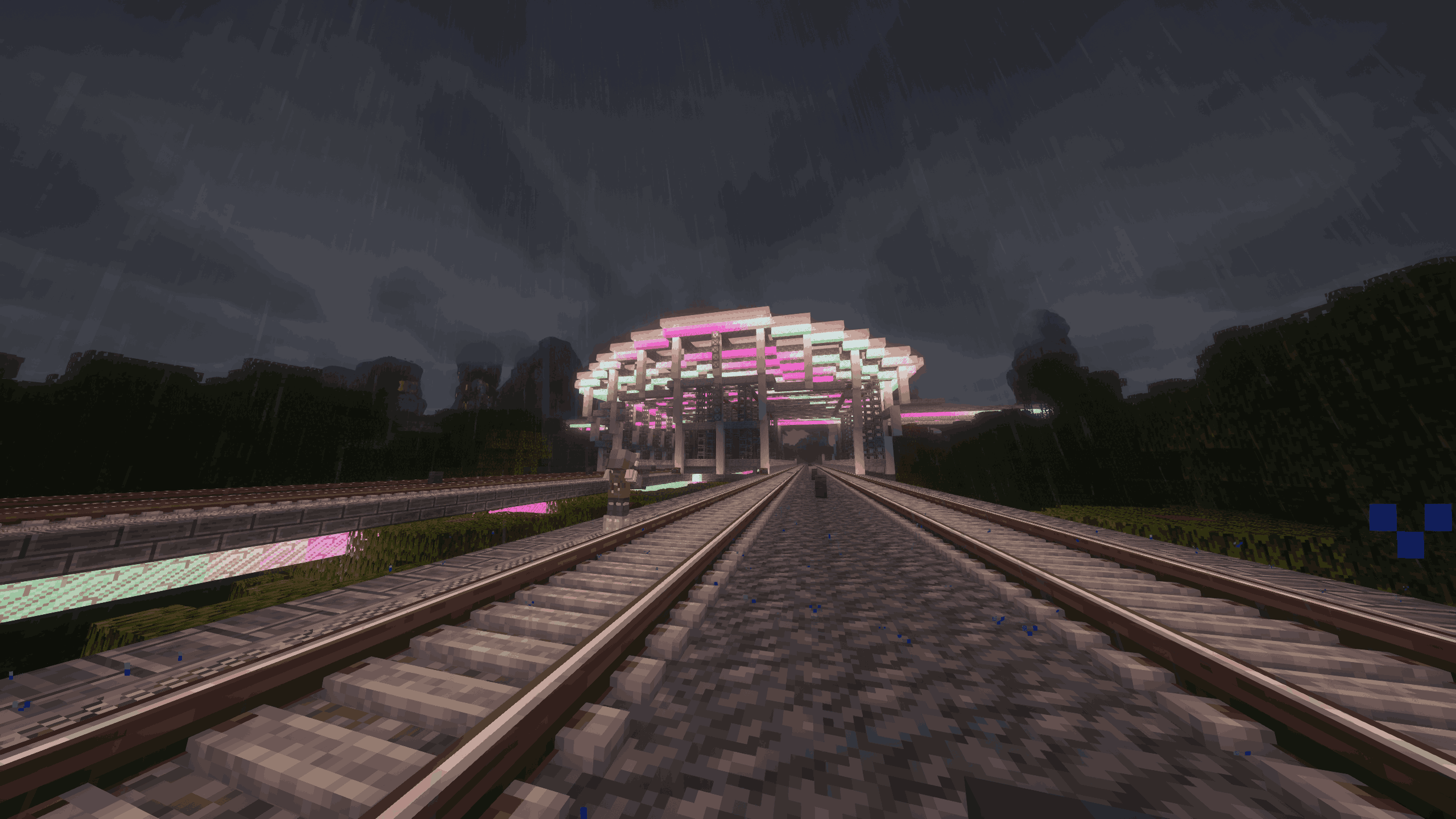
Machines · Building · Automation
Installation and startup verifiedCreate takes centre stage: connect gears, transfer motion and build machines you can watch at work. Individual workshops gradually become connected production lines.
A good fit if … you enjoy solving problems together and want your factory to look as good as it works.
A focus for builders and technology fans. Start with a simple machine and expand step by step. Included Create extensions and their features depend on the pack version.
Visit the project ↗Verified on 08/22/2026
Minecraft Java and the matching client-side modpack required.
RAM is a catalog recommendation. Player count, world and settings affect actual requirements.
Images come from the respective projects. Worlds, shaders and additional content shown may differ from your selected pack version. Click an image to view it full size.
Search the connected community catalog for modpacks, mods and plugins, including projects we have not tested ourselves yet. Popular projects appear immediately and search opens up the rest.
by Shivaxi
A modpack specially designed to bring an incredibly hardcore and semi-realism challenge revolving around survival, RPG elements, and adventure-like exploration.
CurseForge community catalog · not yet tested by us
View projectby ATMTeam
The top pack of 2026 with around 500 mods! Tons of quests and a proper endgame.
CurseForge community catalog · not yet tested by us
View projectby LunaPixelStudios
Version 1.20.1 | A Proper Vanilla+ Modpack | Don't play Vanilla play this!
CurseForge community catalog · not yet tested by us
View projectby FlameFire
僵尸入侵 100 天(高版本惊变重制)—— Same as Forge Labs 100 Days Zombie Apocalypse in new Minecraft
Modrinth community catalog · not yet tested by us
View projectby ElocinDev
Lore-rich RPG | Explore the Kingdom of Vaaz with voiced NPCs, a custom Questing System, Custom Gear, Bosses, Talent Tree and more!
CurseForge community catalog · not yet tested by us
View projectby CobbledStudios
The official modpack of the Cobblemon mod, for Fabric!
Modrinth community catalog · not yet tested by us
View projectby TqLxQuanZ
Explore, loot and shoot your way through cities overrun by the infected in this zombie apocalypse modpack. Master the tech tree, craft better and stronger equipment, and eventually brave the radioactive Wasteland to find the cure.
CurseForge community catalog · not yet tested by us
View projectby LUMYVERSE
Start a true Pokémon adventure in Minecraft: Cobblemon 1.7.3 | ALL 1025 Pokémon! | Mega Evolutions | Gyms & Badges | Starter Kit | Unique Structures | Custom Music | Shaders | Optimized | So much more! [1.21.1]
Modrinth community catalog · not yet tested by us
View projectby LUMYVERSE
Start a true Pokémon adventure in Minecraft: Cobblemon 1.7.3 | ALL 1025 Pokémon! | ALL 93 Mega Evolutions | Gyms & Badges | Starter Kit | Unique Structures | Custom Music | Shaders | Optimized | So much more! [1.21.1]
CurseForge community catalog · not yet tested by us
View projectby JZ_zhenmeng
厌倦了每次开局都是一样的钻石剑和弓?BattleArmory 让你每场重生都像开盲盒——400+ 现代枪械随机配发,从使命召唤的经典步枪到赛博朋克科幻杀器,配上 CS 经典地图和战术投掷物,开局就是 80 帧+丝滑刚枪。** 这不是模组体验卡,这是完全免费的 1.20.1 战术枪战整合包,下载启动,直接开战。
Modrinth community catalog · not yet tested by us
View projectby SHXRKIE
Version 1.20 | A Proper Vanilla+ Modpack | Don't play Vanilla play this!
Modrinth community catalog · not yet tested by us
View projectLive search covers the Modrinth and CurseForge community catalogs, not only our recommendations. Compatibility and automatic installation are checked later against the server and exact version you choose.
100.000+ mods and plugins are listed in the connected search inventory. This is not a count of verified modpacks or a promise that every project can be installed.
Catalog sources: Modrinth, Hangar, Spiget, Polymart, CurseForge
Minecraft with friends
Perhaps you just want to start a survival world. Perhaps you already have a particular modpack in mind. Here is how to choose a setup for your group.
Want to catch Pokémon, build machines or explore different worlds? Choose a ready-made pack. It brings a selected collection of mods so you do not have to find them individually.
Everyone needs Minecraft Java and the same pack version on their computer.
Build a house, find diamonds and eventually defeat the dragon together. If you want familiar Minecraft, start with a classic world. Nobody needs an extra modpack.
On a Java server, everyone uses Java Edition. Crossplay is an option for friends with Bedrock.
You play Java on a PC while a friend uses Bedrock on a phone? On a suitable Java server, Geyser and Floodgate connect both editions so you can visit the same world.
This does not work with Java client modpacks. Joining from a console also depends on the device.
Build your own combination of extensions.
Minecraft version, loader and dependencies must be compatible. Every player needs the client-side mods on their computer.
Add building tools, protection and permissions to your Java world.
Plugins must match the server software, such as Paper. They are not client-side mods and do not make a Java modpack compatible with Bedrock.
Your Minecraft workshop
You do not need to become a server administrator to play Minecraft with friends. The panel organises common tasks and takes you to the relevant settings. Available tools depend on your server software and permissions.
The server overview shows status and the connection address. Open management from there, or jump straight to worlds, players, mods and backups on supported Java servers.
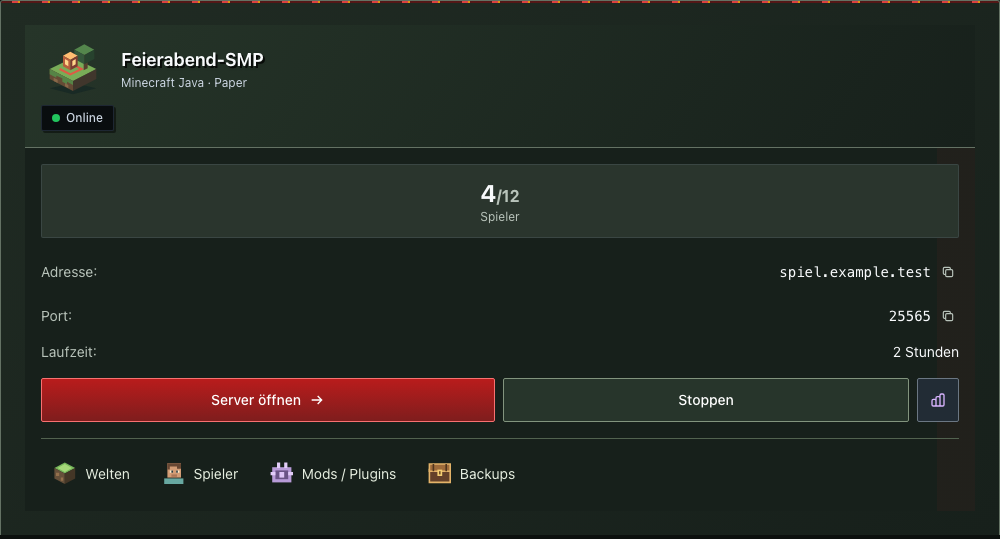
Survival or creative? Peaceful or hard? Change supported settings in labelled fields. Hints explain when a restart is needed.
Choose who may join supported Java servers. Manage the whitelist and share the connection address with your group.
Reach world management and the file manager in one place. Back up the current state before replacing a world or making major changes.
Find extensions for your Minecraft version and server software. Mods need the matching loader; plugins need software such as Paper. Client mods must also be installed on your friends’ computers.
On supported running Java servers, change rules such as keeping inventory. You do not need to memorise the corresponding command.
Start or stop your server through the panel. If something goes wrong, the console and status indicators help you understand the next step.
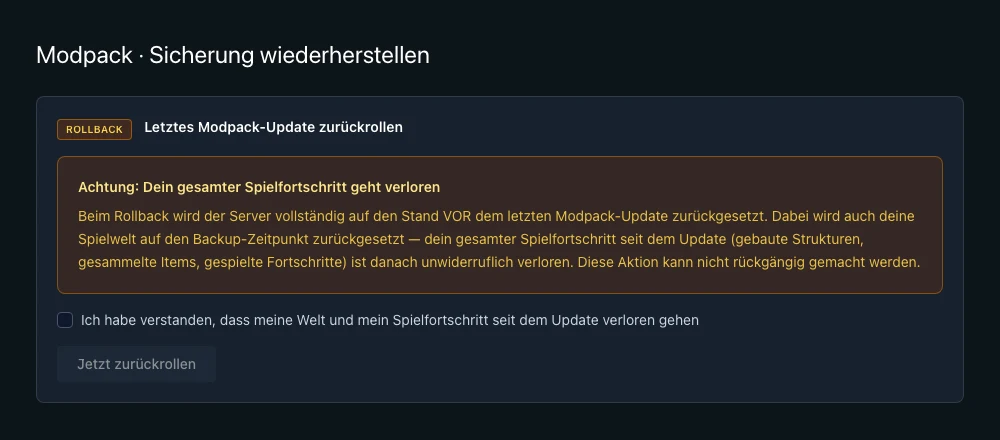
Review a new pack version and keep track of the backup. If you need to roll back, the control panel explains what will happen to your world before you proceed.
A backup is created automatically before a supported modpack update.
Compare the installed and new pack versions before confirming the update.
An existing backup restores the earlier state. Progress made since that backup will be lost.
Get more out of Minecraft
Individual mods change different parts of the game. Explore concrete examples with original Minecraft screenshots and detailed guides written by MCRedstone.
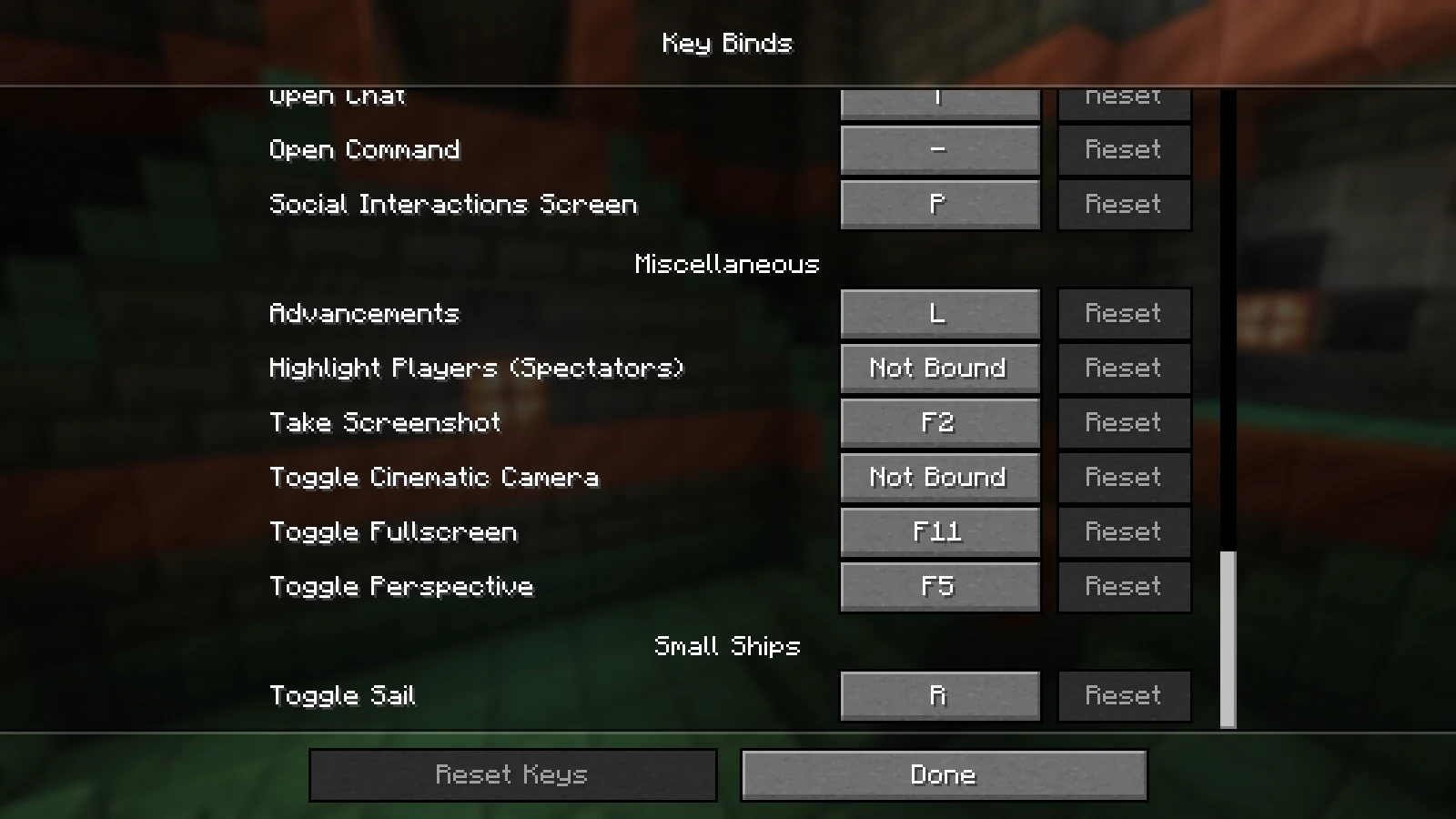
Gameplay mod · Client & server
Steerable ships turn your next ocean journey into a shared project. The guide explains matching downloads, installation and controls, including the sail key.
Minecraft version, loader and mod files must match on the client and server.
Read the MCRedstone guide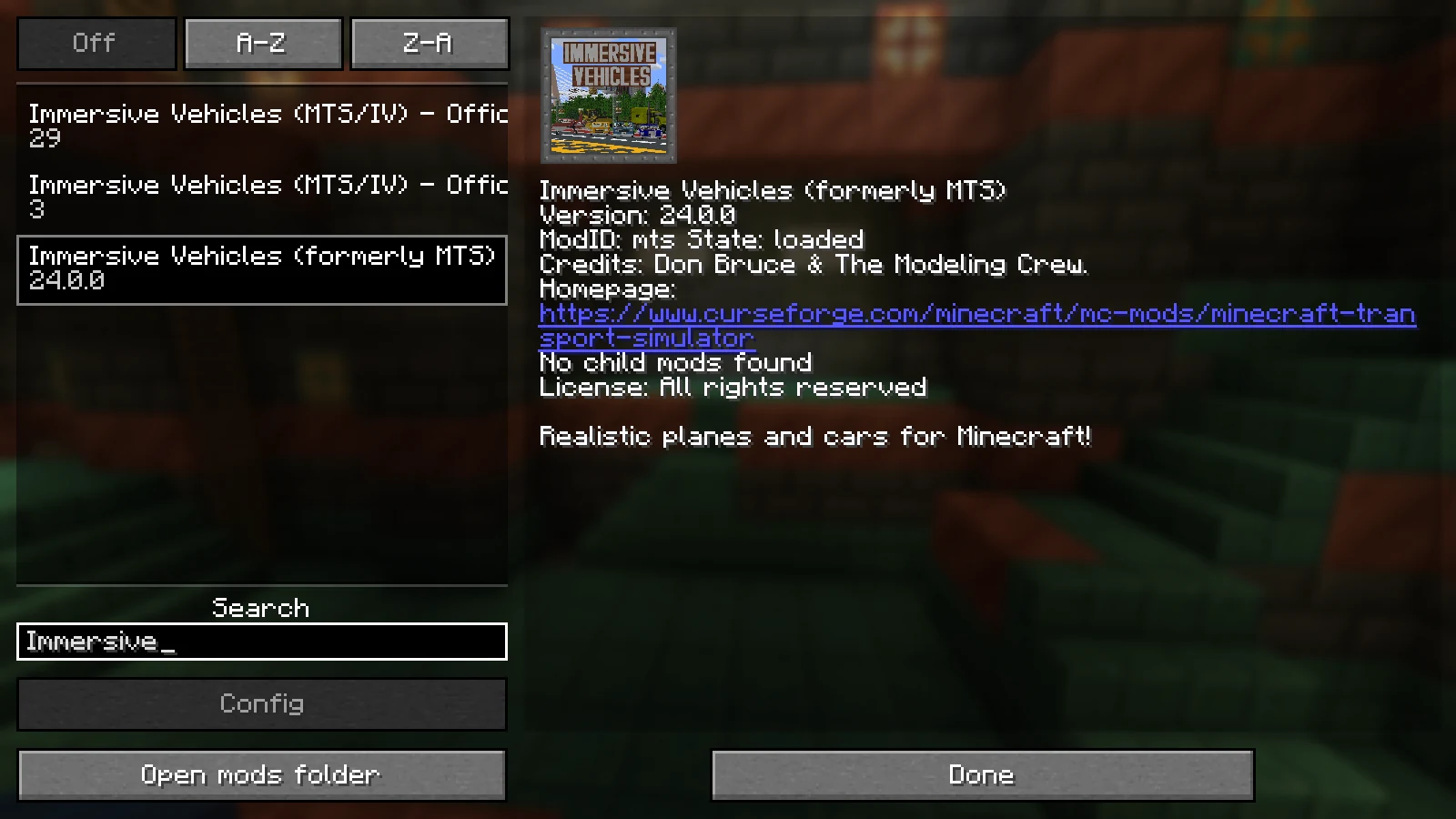
Gameplay mod · Additional content packs
Vehicles add new transport options to your Minecraft world. The base mod supplies the foundation; matching content packs supply the vehicles.
Match the base mod and content packs. Not every pack supports every version.
Read the MCRedstone guide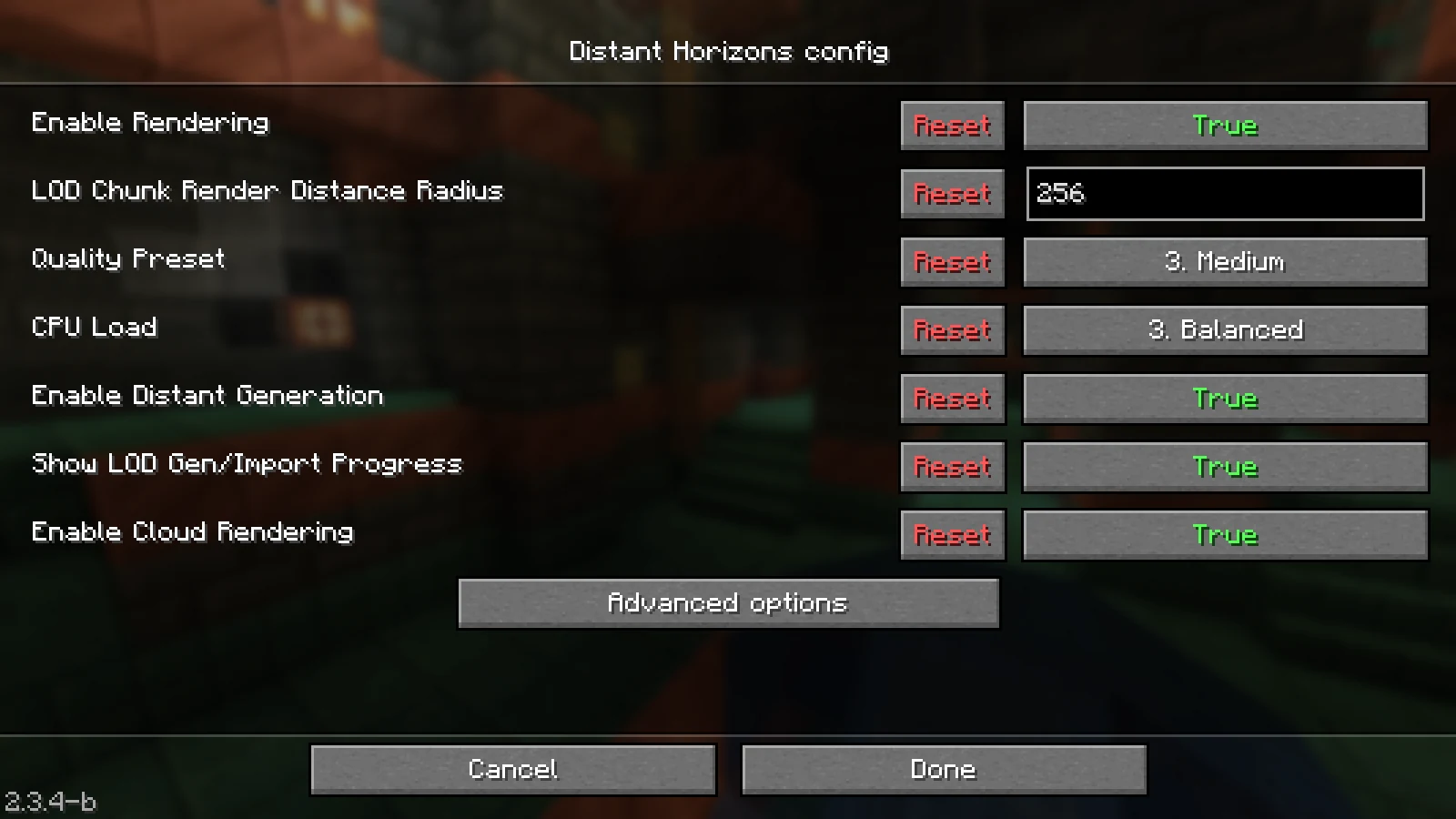
Distant scenery · Configure the client first
Simplified distant landscapes extend your view. The guide explains distance, data generation and working with shaders.
A longer view does not increase server simulation distance. Multiplayer and shader support depend on the versions used.
Read the MCRedstone guideBefore you start
You do not need Linux or console experience for a normal game night. Starting, stopping, backups and many Minecraft settings are available through the panel. If you choose your own mods, it is still worth reading their requirements: Minecraft version, loader and required dependencies must match. The tools you see depend on your server software.
Everyone needs Minecraft Java and the same modpack version as the server. Share the exact pack name and version alongside the server address. Simply launching Minecraft is not enough for these packs: their extra blocks, items and mechanics must also exist on each player’s computer. These Java modpacks cannot be played with Bedrock Edition.
Yes, on a suitable Java server with Geyser and Floodgate. These extensions let Bedrock players join the same world. They do not make Java modpacks such as Craftoria work on Bedrock, which lacks the required mods. Check which devices your friends use as well: joining a custom server address on a console is less straightforward than on a PC or phone.
Start with the RAM guidance for your chosen modpack. It gives you a starting point for your selection. Everyday usage also depends on simultaneous players, exploration and the machines or farms you build. An empty, freshly started server tells you little about that. Compare the pack and your intended usage before choosing the smallest option.
For packs carrying the verification label, installation and server startup have been checked. The card lists the Minecraft version, loader and verification date so you can see which combination the result covers. It does not mean every later release or large player world has already been tested. Project images illustrate the pack; they are not screenshots of an MCRedstone performance test.
Yes, Minecraft world management supports archive uploads. First keep an untouched copy of your existing world and back up the current server state. You then need a matching Minecraft version and, for a modded world, the required mods. Starting that world without its mods can lose content. Load it with the matching setup and check your important builds after startup.
A rollback restores the state in the selected backup, including your world. A house built or items collected since that backup will be missing afterwards. Check the backup time and let your friends know before confirming. The rollback panel explains this before proceeding; it cannot simply undo individual mod files while preserving every later world change.
Yes. In the configurator you choose Java, Bedrock or a modpack and the amount of RAM, see the binding monthly price and pay through Stripe. The server can be cancelled monthly; there is no minimum term.
Order
Explore the verified modpack examples, then configure your own server.
Start my configurationThe guides are publicly available. Available configurations and final prices are shown in the configurator.
MCRedstone is the Minecraft hosting brand operated by Jens Röcker. Discover tested mod combinations, documented measurements and ideas for your own Minecraft projects. MCRedstone is not a public game server directory.
Our editors identify versions, review dates and the functions actually tested. Measurements and screenshots apply to the documented setup; untested functions are explicitly identified.
Contact and correctionsThis page has been updated in the meantime. Reload it so everything works correctly.