
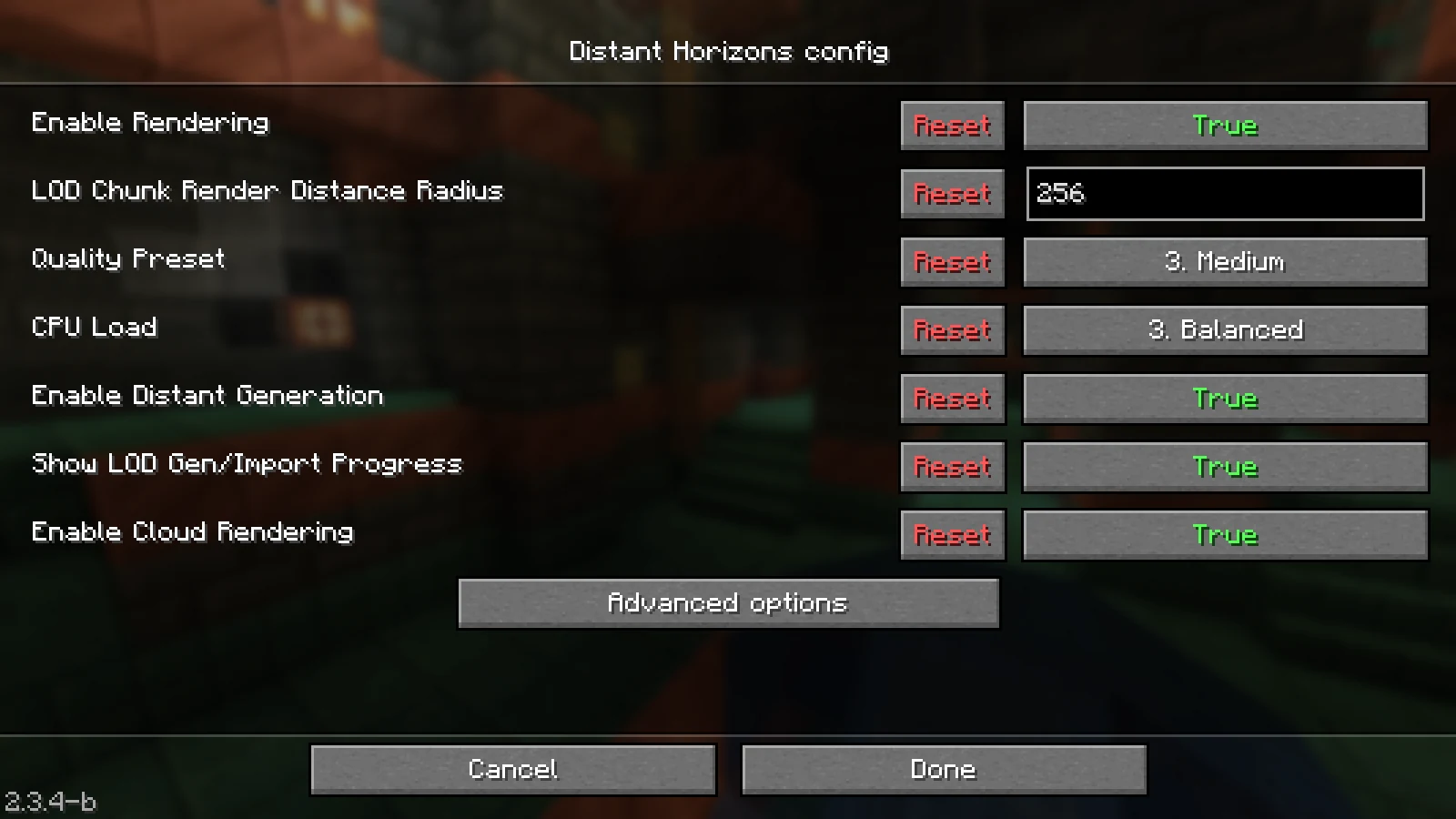
First install Distant Horizons in the client with the file matching your Minecraft version. Start with a moderate LOD range and low CPU load, visit a known landscape, and wait for the distant data to build up.
In multiplayer, a client-only setup can save already visited areas as LODs. If Distant Horizons also runs on a compatible server, current versions can deliver distant data to matching clients. This is a different function than the normal server view or simulation distance.
What You Need
Matching Minecraft Version
Download a Distant Horizons file that supports your specific Minecraft version and loader.
Graphics-Capable Client
The rendering happens on your machine. Very high ranges still require GPU memory, RAM, CPU time, and storage space.
Free Storage Space
LOD data is stored locally and grows as you explore more worlds or servers. Plan for regular checks instead of unlimited range.
Compatible Shader Stack
Not every shader supports Distant Horizons. Check the requirements of the DH, Iris/Oculus, and shader versions you're using together.
Setup Step by Step
Back Up Your Own Instance
Note down Minecraft, loader, graphics mods, and shader. Back up the instance configuration so you can return to the starting state if rendering errors occur.
Start Distant Horizons Alone
First install only the matching DH file along with its required dependencies. Test a known world without a shader so rendering errors can be attributed more easily.
Keep the Normal View Distance Moderate
Let Minecraft render the nearby landscape normally and use DH for the distant area. An extremely high normal render distance in addition to a high LOD range makes troubleshooting harder.
Increase the LOD Range Step by Step
Start with a moderate value. Wait at a fixed position until data has built up, and observe frame rate, frame times, memory usage, and visible transitions.
Check Multiplayer Separately
First test on the client side on the server. If you additionally decide on server support, the version, configuration, and distant generation behavior need to be coordinated separately.
Add a Shader Last
Only enable an explicitly compatible shader after a stable test. Compare the same scene and don't change range, quality profile, and several graphics mods at the same time.
Our Distant Horizons Setup and Its Limits
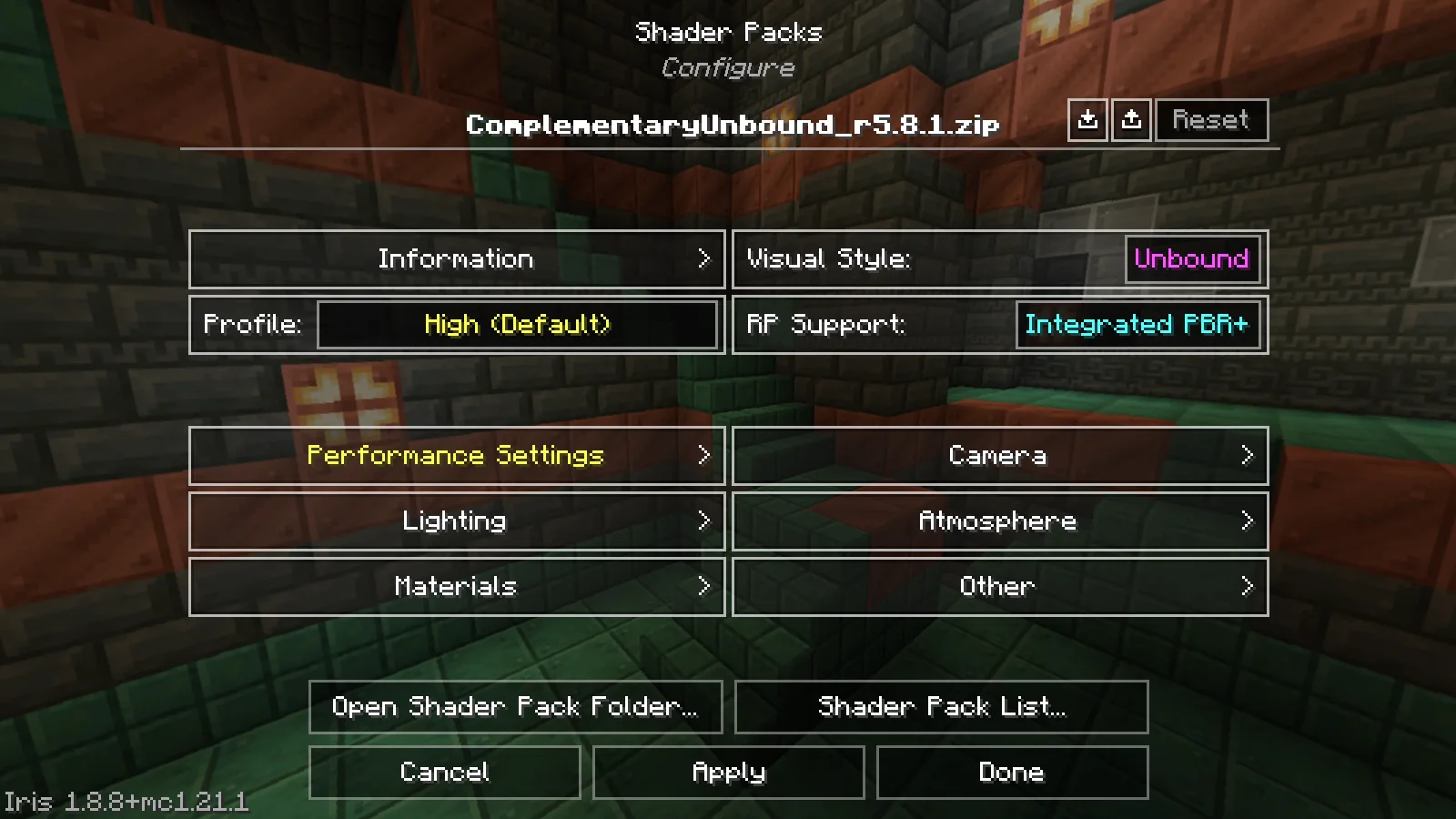
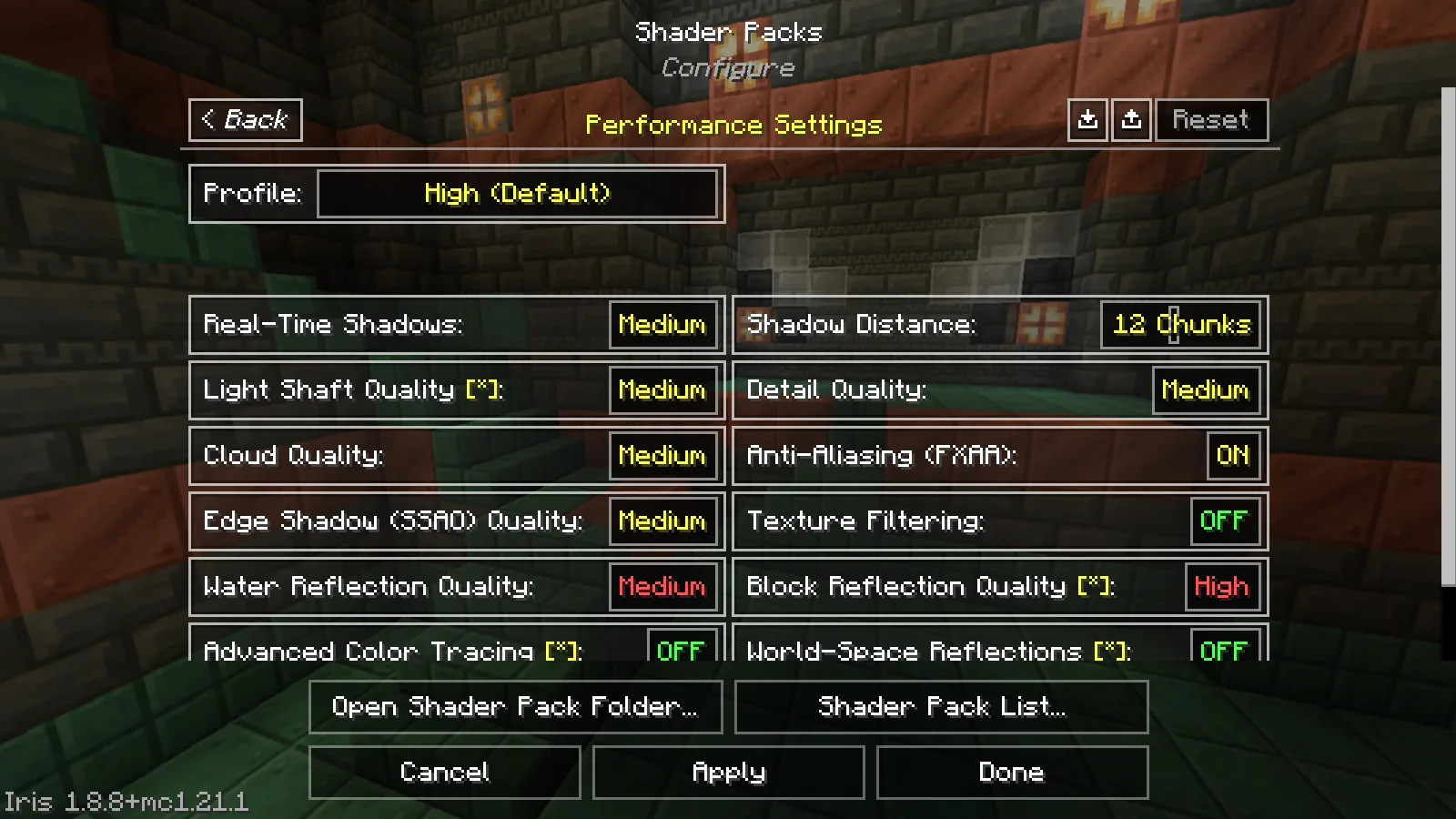
The graphics setup from 10 September 2026 contained Minecraft Java 1.21.1, NeoForge 21.1.248, Java 21.0.7, Distant Horizons 2.3.4-b, Sodium 0.6.13 and Iris 1.8.8. Complementary Unbound r5.8.1 was loaded as a separate shader variant. These versions describe the historical trial, not a generally recommended current graphics stack.
The gameplay check ran at 1280 × 800 pixels with normal render distance 8, simulation distance 5, a 60 FPS cap and VSync off. The saved DH configuration contains a 256-chunk LOD radius, MEDIUM horizontal and vertical quality and enabled distant generation. These are recorded settings, not performance recommendations: a fully built radius was not demonstrated, and 60 is the configured frame cap, not a measured performance result.
Without shaders, entering the world, a DH database and a gameplay image were recorded. With shaders, an image was captured at the same position, time of day and resolution; DH generation was still running and Iris reported unknown uniforms BIOME_PALE_GARDEN and endFlashIntensity. This is neither a controlled before-and-after benchmark nor confirmation of error-free shader compatibility. A dedicated-server comparison is also missing.
For your own project, start without shaders and wait for data to build at a fixed viewpoint. Only then increase the distance and compare the same scene. Do not copy 256 chunks without checking: if your computer becomes sluggish, reduce the distance or CPU load before adding more graphics mods.
LOD Range Is Not Simulation Distance
Distant Horizons renders simplified distant data. As a result, a mountain can be visible far beyond the normal chunk boundary, even though no full nearby rendering and no correspondingly large active game simulation is running there.
For farms, mobs, redstone, and other active mechanics, the server rules and the respective mod or game version are decisive. A higher LOD range is therefore a visual setting, not a promise of a larger tick range.
How Distant Data Is Generated in Multiplayer
With Distant Horizons only on the client, LODs remain saved between sessions, but they need to be built up through exploration or received world data. Already known landscape therefore appears sooner than an area that has never been visited.
If a compatible current version runs on both server and client, the server can deliver LOD data to connected users, provided remote generation is enabled. This option should be planned deliberately, because data generation and transfer can cause additional work.
Comparing Performance With a Fixed Scene
For comparisons, stand at the same position, look in the same direction, and wait out any noticeable loading. Then change only the LOD range or only one quality profile. A single FPS value right after teleporting isn't a reliable statement.
| Observation | Next Check |
|---|---|
| Distant landscape stays empty | Has the area already been explored, or does a compatible server deliver distant data? Is the LOD build-up still running? |
| The game stutters during data generation | Reduce CPU load or quality profile and LOD range, then check the same scene again. |
| The shader shows harsh transitions or errors | Check the compatibility of the specific DH, shader loader, and shader version, and test without a shader first. |
| More distant view, but the farm doesn't work further away | Check the server simulation distance and the farm's mechanics separately; LODs don't enable remote simulation. |
Testing Shaders in the Right Order
The official project description mentions shader support, but points to compatible combinations. In Iris-based setups, DH, Iris, and the shader need to match each other. The mere fact that Minecraft starts with all the files doesn't yet prove correct LOD rendering.
Test Distant Horizons without a shader first. Then add exactly one shader and check the horizon, water, fog, shadows, and the transition between normal chunks and LODs. If there's an error, you'll have a clear reference state to compare against.
Separating Stutters, Empty LODs, and Graphics Errors
An empty horizon immediately after entering a world is not yet evidence of a performance problem. Check whether Distant Horizons already knows the region and whether data generation is still running. If the view remains empty after a reasonable wait, test the same location without shaders and with the default profile. If LODs appear then, the cause is more likely the graphics combination than missing world data.
Short load spikes during generation differ from a permanently low frame rate. Stay in the same position for comparison, wait until visible building has finished, and then observe movement and camera turns. Reduce only the LOD range or only the CPU or quality setting first. If normal render distance, shaders, resolution, and multiple DH values all change together, the result cannot be attributed to one cause.
For hard edges, incorrect fog, flickering water, or broken shadows, capture the same scene with and without the shader. Record the DH, Iris/Oculus, shader, and graphics-driver versions. Then check compatibility notes for the exact releases. A modpack name alone does not describe this graphics stack precisely enough because individual instances may contain additional or differing files.
Introducing Server Support in a Controlled Way
If you initially use Distant Horizons only on clients, adding it to the server later changes the data path. Back up the world, server configuration, and one test user’s client-side LOD data first. Enable server support in a copy or maintenance window and use a normal account to check whether the connection stays stable and distant data actually arrives. High visible range must not be confused with broader gameplay simulation.
Start without aggressive distant generation. Observe server tick time, CPU, memory, and network together with client frame time. Increase one value only after the previous state remained stable through movement, teleporting, and reconnecting. If problems occur, restore the documented baseline instead of changing server range, LOD quality, and shaders at the same time. This keeps it clear whether the bottleneck is the server, data transfer, or client rendering.
Backing Up, Limiting, and Rebuilding LOD Data
Distant Horizons stores its simplified world data separately from normal Minecraft chunks. Treat this store as a valuable cache, not as a replacement for a world backup. Before changing versions, back up the instance and identify the DH data belonging to the tested world or server. Do not delete all data indiscriminately when only one region appears broken; that also removes correctly generated distant landscapes from other worlds.
If storage use grows sharply, first check which worlds and servers are still used and what LOD range is actually useful. A higher value can mean more data generation, local storage, and longer validation times. Change the limit gradually and observe growth after a comparable exploration route. This produces a setting suited to your computer instead of merely maximizing a number.
For a controlled rebuild, use a world copy or back up the existing DH store first. Start without shaders, remain at a known position, and wait until generation visibly completes. Compare the same viewing direction with the previous state. If the error disappears, add graphics components back one at a time. If it remains, logs, a version list, and a reproducible location give project support more useful information than a general report of “broken distant view.”
With multiple servers using similar world names, make sure you associate the correct data store. Use an unmistakable position and verify after joining that the displayed landscape belongs to the current server. Stale local data, a changed world state, and a real rendering bug can look similar. After a world reset or map change, back up the old store and keep it separate before testing a clean rebuild.
Frequently Asked Questions
Does Distant Horizons need to be installed on the server?
Not necessarily for client-side LOD use: in that case, your client builds distant data from explored or received areas. A compatible installation on both server and client can additionally provide LOD data.
Does Distant Horizons increase the server's view distance?
It extends the visible distant landscape through simplified LODs. The normal server view distance, and especially the simulation distance, remain separate settings.
Does every shader work?
No. Only use a combination whose specific DH, shader loader, and shader versions are compatible with each other, and test it first in a separate instance.
Why is a new area initially blurry or empty?
LOD data first needs to be built up or delivered by a compatibly configured server. Areas that have never been known aren't immediately available as a complete distant rendering.
Editorial review method
The MCRedstone editorial team checks version and compatibility details against the official project sources linked below. Dated observations from isolated Minecraft test instances are listed in each article. Other control steps are instructions for your own checks; multiplayer, persistence, and troubleshooting claims are limited to what those tests and primary sources support. We review the article again when relevant details change and update the review date.
Official Sources
Versions, dependencies, and supported loaders can change. Before every download, check the details for the specific file on the official project page.
- Distant Horizons 2.3.4-b
Exact release from the documented setup of 10 September 2026; not a new functionality test.
- Sodium 0.6.13
Exact release from the documented setup of 10 September 2026; not a new functionality test.
- Iris 1.8.8
Exact release from the documented setup of 10 September 2026; not a new functionality test.
- Distant Horizons on Modrinth
Official project page with supported versions, loaders, and notes on multiplayer and shaders.
- Distant Horizons Wiki
Official wiki overview with FAQ, troubleshooting, mod support, and notes for server operators.