
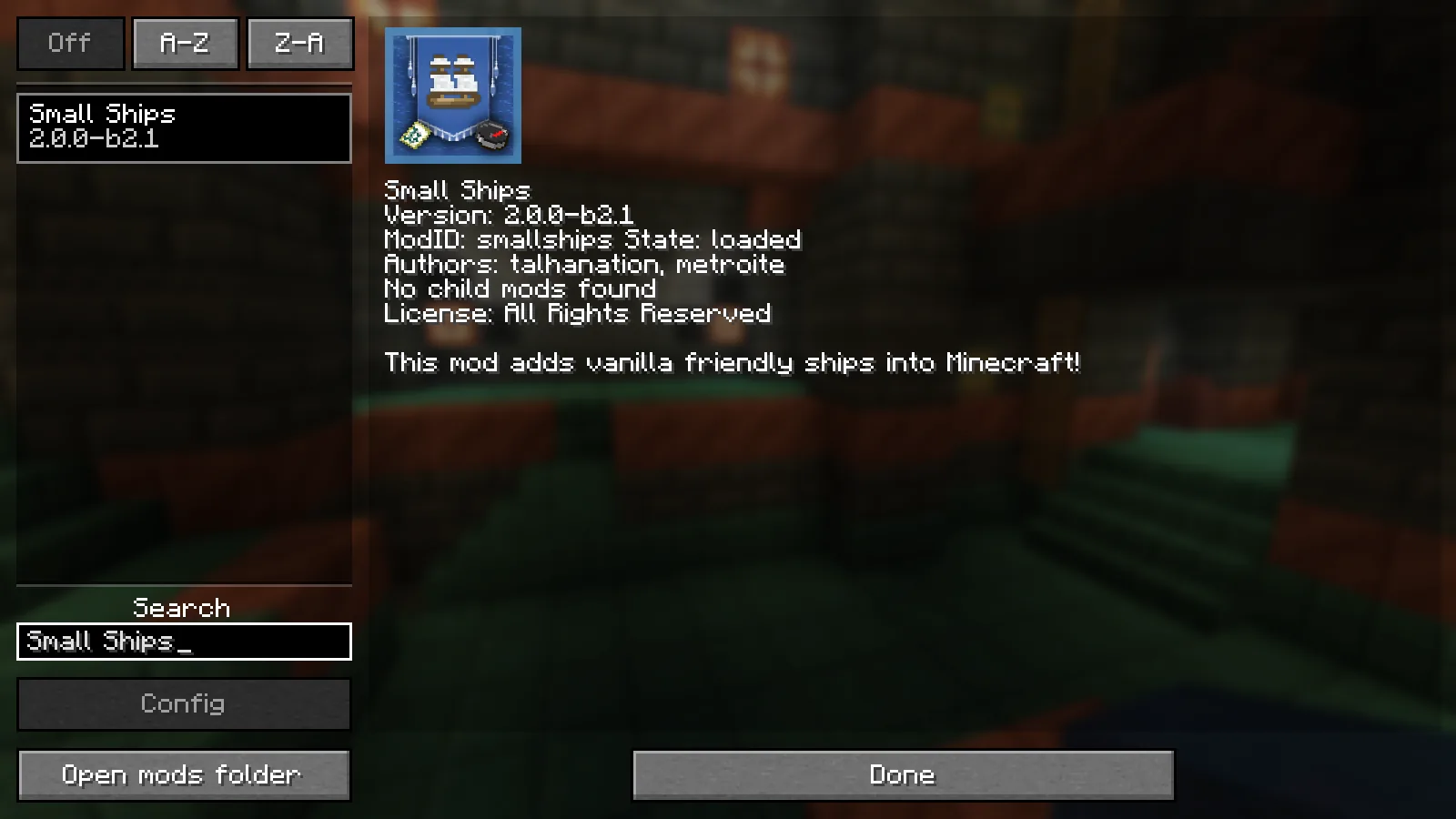
Install Small Ships with the matching loader in a separate test instance and on the server. First check that you can join, then test boarding, the sail, sailing, the inventory, and saving after a restart. Only then bring the mod into your existing world.
The project page lists builds for various Minecraft versions as well as Fabric, Forge, and NeoForge. What matters is always the compatibility of the specific download file – not just the project name.
What You Need
Minecraft Java
Small Ships is a Java mod. Bedrock players can't use the additional ships with an unmodified Bedrock client.
Matching Loader
Choose exactly the loader and Minecraft version specified for the mod file. Fabric, Forge, and NeoForge files aren't interchangeable.
Matching Mod Version
The server and all participating Java clients need a compatible shared version of the gameplay mod and its dependencies.
Backup and Test World
Back up your existing world before adding new content mods. A separate test world is the safe way to start your first voyage.
Setup Step by Step
Note Down Versions
Note the Minecraft version, loader, loader version, and the full file name of Small Ships. This way you can clearly restore the working combination later.
Test the Client First
Place the matching JAR file and the dependencies listed on the download page into the mods folder of a separate instance. Start the game, stop at the main menu, and check the mod list.
Set Up the Server to Match
Install the same compatible gameplay version on the server. Don't copy the entire client mods folder without checking it first: pure graphics and interface mods often don't belong on a dedicated server.
Check Joining Before Reworking the World
Join with a normal player account. A successful server start alone doesn't prove that the clients and server understand the same set of mods.
Test the Ship in Open Water
Place the ship with enough distance from the shore. Check boarding, the sail, forward and backward steering, the inventory, and disembarking before planning longer voyages.
Restart Cleanly
Stop the server in a controlled way, restart it, and check the ship again. Only this test shows whether the world and mod content were saved reliably.
Our Small Ships Version Set and Observed World State
On 10 September 2026, Small Ships 2.0.0-b2.1 was checked with Minecraft Java 1.21.1, NeoForge 21.1.248 and Java 21.0.7 in a separate Windows test world. The file is smallships-neoforge-1.21.1-2.0.0-b2.1.jar; it bundled Forge Config API Port 21.1.0. Do not add another library file to this example on a hunch.
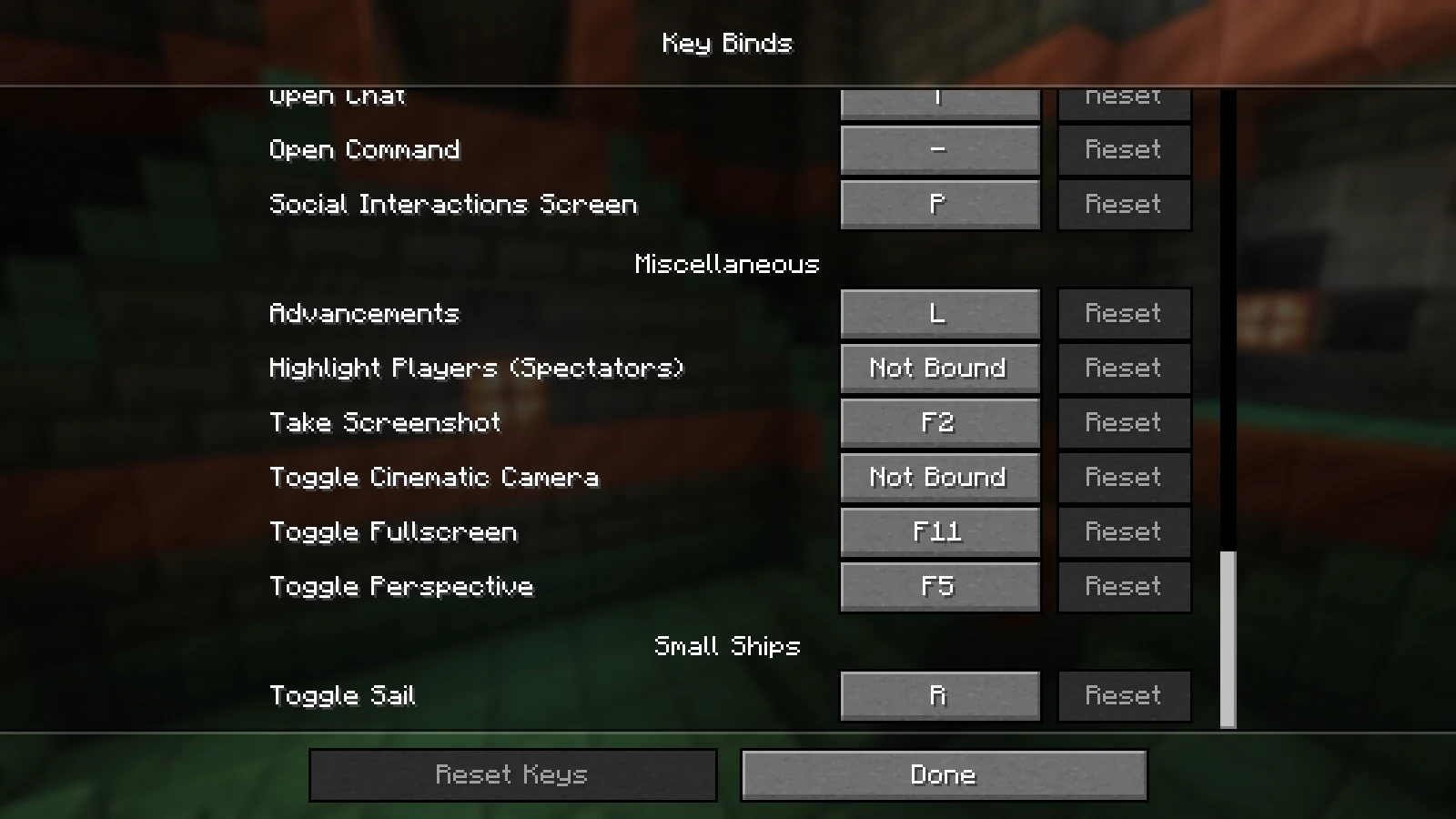
The client started, the world opened and a Cog created for the test remained visible after a clean save and reopening the world. The registered sail action was bound to R. This supports startup, world loading, key registration and this limited persistence check.
Normal player placement, sailing, inventory, cannons and joining a dedicated server were not fully checked. The control and multiplayer steps below are therefore instructions for your own checks, not a promise of a completed multiplayer playtest. This version set is a dated example, not a recommendation of the latest release.
The Most Important Keys and Actions
According to the official project description, you board by right-clicking. On board, the R key opens or closes the sail; W and S change the sailing speed. In third-person view, you can adjust the camera distance with the mouse wheel.
You open the inventory from outside by sneaking plus right-clicking. Cannons need cannonballs in the ship's inventory and are fired while you're looking in their direction. Still, always check the actual key bindings of your instance: modpacks and custom bindings can create conflicts.
| Observation | Next Check |
|---|---|
| The R key doesn't respond | Are you sitting in the ship, is the sail present, and is “Toggle Sail” still bound to R? |
| The ship can't be placed | Test a larger open stretch of water without shore, ice, or other vehicles directly next to it. |
| The inventory doesn't open | Stand outside the ship and hold the sneak key while right-clicking. |
| A player can't join | Compare Minecraft, loader, mod file, and dependencies with a working client. |
Why Two Identical Ships Can Sail Differently
Small Ships reflects differences based on ship type, cargo, cannons, and water biome. A slower voyage is therefore not automatically server lag. Compare the same ship on the same route and change only one factor.
If, on the other hand, several players simultaneously experience delayed block actions, snapping-back movement, or delayed mobs, investigate server state and connection separately from the ship mechanics.
How to Keep Your World Recoverable
A content mod writes new objects into the save data. “Just deleting the JAR again” is therefore not a reliable way back. Keep a complete backup from before the installation and note down the associated set of versions.
Test updates in a copy first as well. Check at least the server start, a normal join, existing ships and inventories, and a subsequent restart. Only after that should the update reach your shared world.
Read the Log Instead of Swapping Files on a Hunch
If the server fails to start, first save the complete message around the first error. The final line is often only a consequence. Look further up for a missing mod, an unmet version requirement, or a file built for another loader. Then compare the reported name with your recorded file list. Change only one component at a time and restart; otherwise, after a successful start you won’t know which change actually fixed the problem.
If the server starts but joining fails, inspect the client and server logs from the same attempt. Messages about mismatched mod lists, unknown registries, or missing network channels point to different gameplay versions. Create a binding list from a working test client containing the Minecraft version, loader, and complete JAR file names. That list is more precise than saying everyone installed “the latest version.”
If the error only appears when placing or loading an existing ship, work exclusively with a copy of the world. First use the same version set with which the ship was last saved. Trying an upgrade and a repair at the same time mixes two causes. Only when the copy loads reliably with the old set should you update the mod and dependencies together and check the ship, inventory, passengers, and the next restart.
A Reliable Acceptance Test for Your Server
A single test voyage is not enough for approval. Use a normal player without operator permissions, place a newly built ship, and test every action you will need later. This includes boarding, multiple passengers, changing sails, turns, shoreline collisions, inventory access, and cannons if the ship type has them. At the same time, watch whether other players can perform ordinary block and inventory actions without noticeable delay.
Then stop the server cleanly and restart it. The ship must reappear in the expected location with its cargo and state intact. Repeat the test after a complete client restart with a second player account. Document the working file set and keep it together with the world backup. This gives you a reproducible baseline if a loader, mod, or modpack update causes problems later.
Organizing Small Ships on a Live Multiplayer Server
Keep one approved file list for all players and replace it completely during an update. Along with the Minecraft, loader, and Small Ships versions, include every required dependency. If you distribute a modpack, name the instance or pack version; combining individual JAR files from different pack releases creates mixed states that are hard to identify. Schedule updates for a time when you can check joining and saved ships together.
For longer voyages, establish a simple operating rule: park ships in loaded, open areas before maintenance and secure important cargo separately. Never remove a content mod while its objects are still in use in the world. If one player cannot operate a ship, check that player’s client version and key bindings before changing server permissions or world files. Control errors, version differences, and actual server problems each require a different solution.
When several ships move at once, don’t only watch one player’s frame rate. Server-side signals include stable tick times and responsive blocks and inventories; client-side signals include frame rate, input latency, and rendering. Test both with the same route and player count. If the whole world responds slowly, reduce concurrent load and inspect the server. If only one client stutters, check that client’s graphics and mod setup separately.
Also define how you will handle a damaged or blocked position. An administrator should not delete world regions immediately. Stop the server, create a current backup, and reproduce the issue in a copy. Check whether the ship loads with the documented version set and whether a normal player can dismantle or move it. Record the coordinates, dimension, ship type, and cargo. These details make troubleshooting reproducible and prevent a local vehicle problem from causing unnecessary large-scale world changes.
Frequently Asked Questions
Do all players need to install Small Ships?
For modded Java multiplayer, you plan for Small Ships and its required dependencies on the server and on all participating Java clients. An unmodified client doesn't know about the additional ships and data.
Does Small Ships work with every shader?
That can't be guaranteed across the board. Test ships and water first without a shader, and then with your specific graphics stack in the same scene.
Can I simply remove the mod later?
Not without risk from a world that's already been played on. For a clean way back, restore the complete backup from before the installation with the version set from that time.
Editorial review method
The MCRedstone editorial team checks version and compatibility details against the official project sources linked below. Dated observations from isolated Minecraft test instances are listed in each article. Other control steps are instructions for your own checks; multiplayer, persistence, and troubleshooting claims are limited to what those tests and primary sources support. We review the article again when relevant details change and update the review date.
Official Sources
Versions, dependencies, and supported loaders can change. Before every download, check the details for the specific file on the official project page.
- Small Ships 2.0.0-b2.1
Exact release from the documented setup of 10 September 2026; not a new functionality test.
- Small Ships on Modrinth
Official project description with supported versions, loaders, basic controls, and download files.
- Small Ships Wiki
Project wiki on ships and game mechanics; always cross-check the information with the release you're using.