Recorded, available and installed are different states. Your actual installation status and suitable updates are shown in the server panel.
114 changes that affect all games (latest on November 1, 2026) are listed in the overview.
View changes for all games
Notes on these entries
Announcement from the official source. The source describes the changes; your server installation status is shown separately in the update center.
No independent plugin compatibility test is documented for the game updates on this page unless a plugin says otherwise. Check affected plugins in the update center before changing game versions.
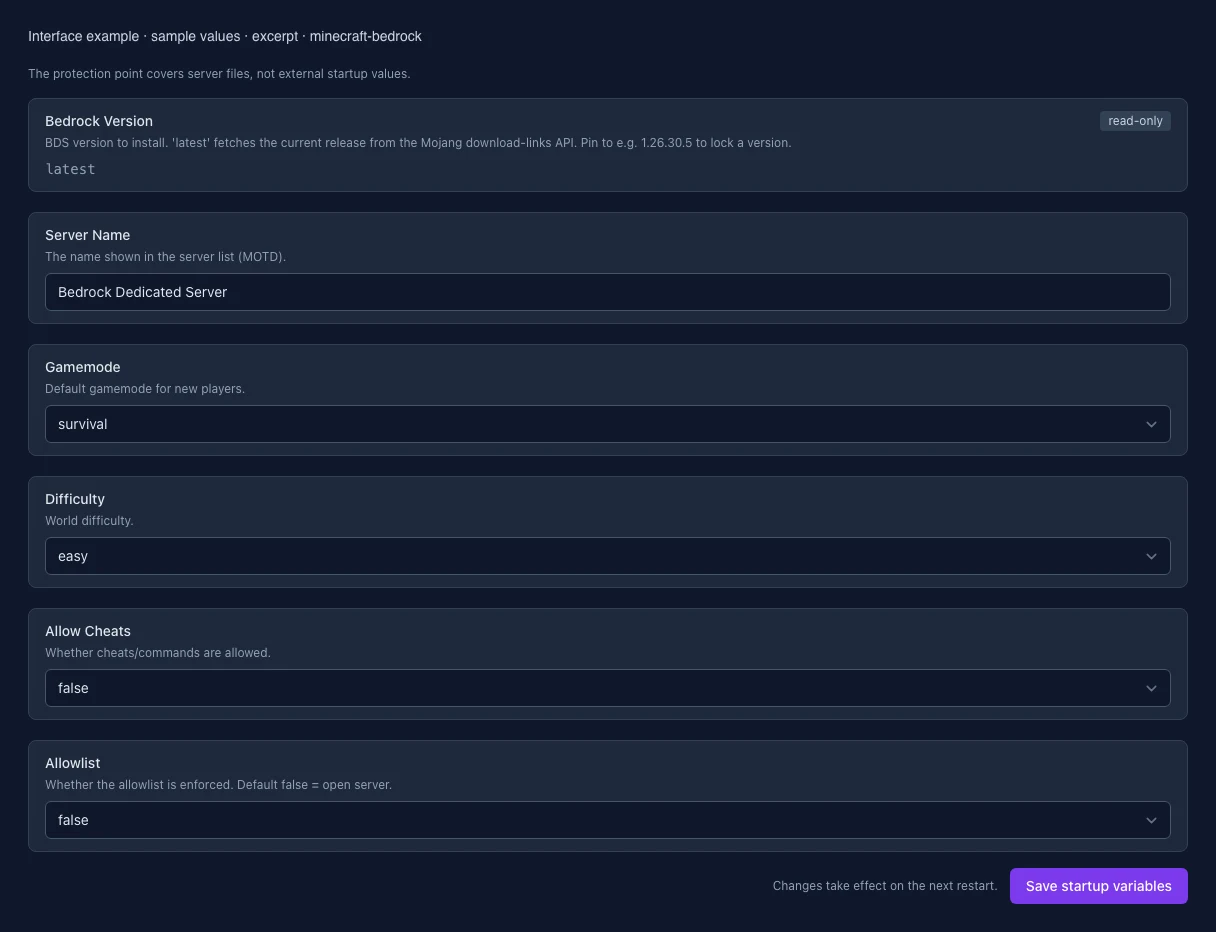
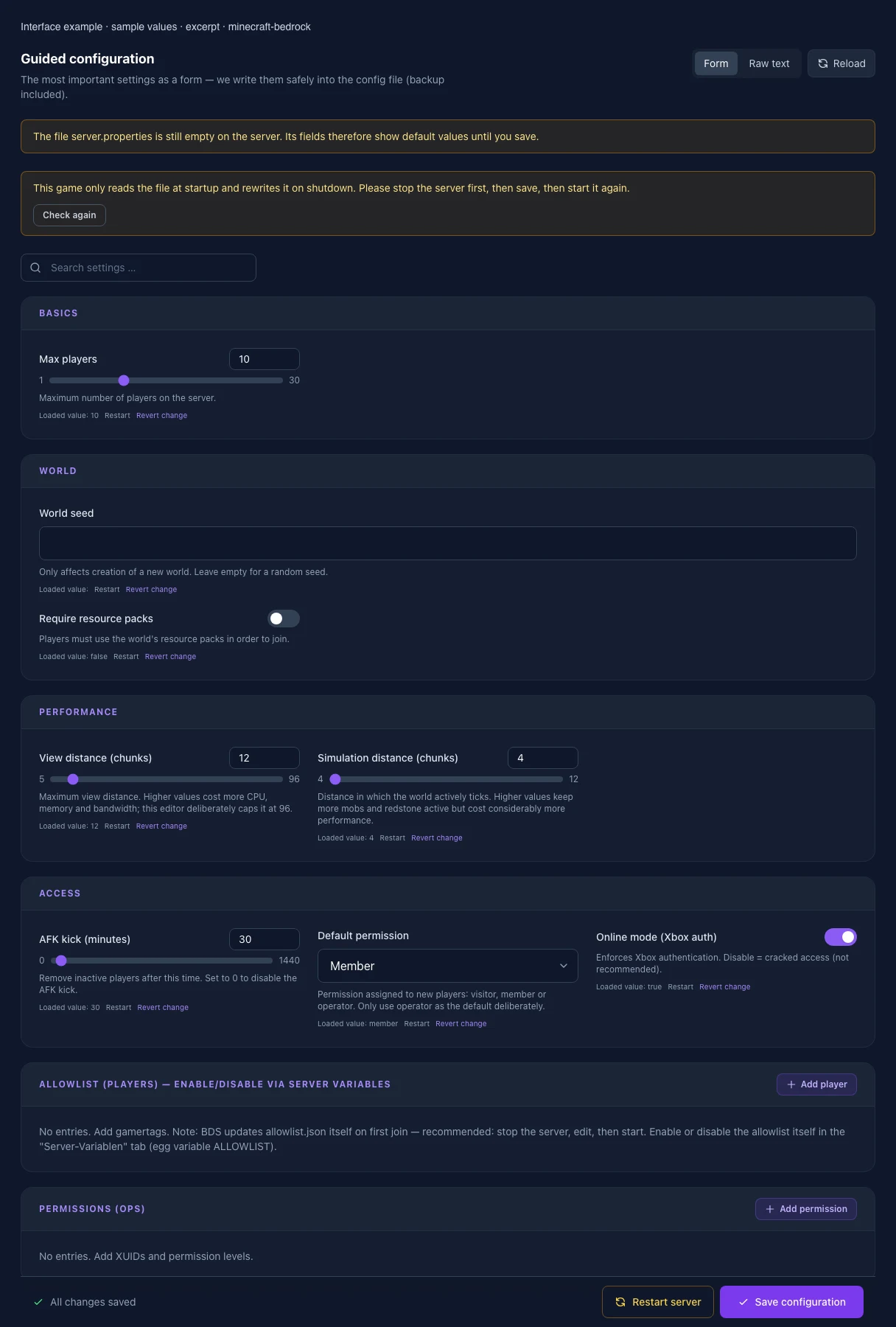
The image shows the interface on its capture date; earlier versions may differ.
Excerpt of the current interface with sample values. Values and prerequisites illustrate the controls; available tools depend on server software, plugins and permissions. · Captured on 2026-10-08Excerpt of the current interface with sample values. Values and prerequisites illustrate the controls; available tools depend on server software, plugins and permissions. · Captured on 2026-10-08
What the settings do
These values come from our guided editors. Defaults are the editor starting values; they do not show the contents of a customer server.
Max players
Maximum number of players on the server.
Setting
max-players
Default
10
Range / options
1 – 30
World seed
Only affects creation of a new world; your current world keeps its seed. Leave empty for a random seed.
Setting
level-seed
Default
View distance (chunks)
Maximum view distance. Higher values cost more CPU, memory and bandwidth; this editor deliberately caps it at 96.
Setting
view-distance
Default
12
Range / options
5 – 96
Simulation distance (chunks)
Distance in which the world actively ticks. Higher values keep more mobs and redstone active but cost considerably more performance.
Setting
tick-distance
Default
4
Range / options
4 – 12
AFK kick (minutes)
Remove inactive players after this time. Set to 0 to disable the AFK kick.
Setting
player-idle-timeout
Default
30
Range / options
0 – 1440
Default permission
Permission assigned to new players: visitor, member or operator. Players who have joined before keep theirs. Only use operator as the default deliberately.
Setting
default-player-permission-level
Default
member
Range / options
visitor, member, operator
Require resource packs
Players must use the world's resource packs in order to join.
Setting
texturepack-required
Default
false
Online mode (Xbox auth)
Enforces Xbox authentication. Disable = cracked access (not recommended).
Setting
online-mode
Default
true
Bedrock version
Installed version of the Bedrock Dedicated Server. You can switch it with the version change of your server.
Setting
BEDROCK_VERSION
Default
latest
When it takes effect
Takes effect after saving and restarting the server.
Server name
The name shown in the server list.
Setting
SERVERNAME
Default
Bedrock Dedicated Server
When it takes effect
Takes effect after saving and restarting the server.
Game mode
Sets the base game mode at launch or when a new world is created.
Setting
GAMEMODE
Default
survival
Range / options
survival, creative, adventure
When it takes effect
Takes effect after saving and restarting the server.
Difficulty
Sets the base difficulty of the game or a newly created world.
Setting
DIFFICULTY
Default
easy
Range / options
peaceful, easy, normal, hard
When it takes effect
Takes effect after saving and restarting the server.
Allow cheats
Allows commands and cheats. Keep this disabled for a regular survival world.
Setting
CHEATS
Default
false
Range / options
true, false
When it takes effect
Takes effect after saving and restarting the server.
Enforce allowlist
Only listed players may join. Add players later with the allowlist tool.
Setting
ALLOWLIST
Default
false
Range / options
true, false
When it takes effect
Takes effect after saving and restarting the server.